Berita terbaru
Artikel untuk saat ini tidak mendukung bahasa yang kamu pilih, artikel ini telah otomatis direkomendasikan ke bahasa Inggris untuk kamu.
How to Go Live on Bitget?
2026-01-21 12:2911190
This guide explains how to activate, watch, and start a live stream on Bitget via the website. Bitget Live supports real-time audio and video sharing, screen casting, and audience interaction.
How to start your first livestream?
1. Apply for streaming access.
If you have never streamed on Bitget, please submit the application, you streaming access will be approved within 3 working days.
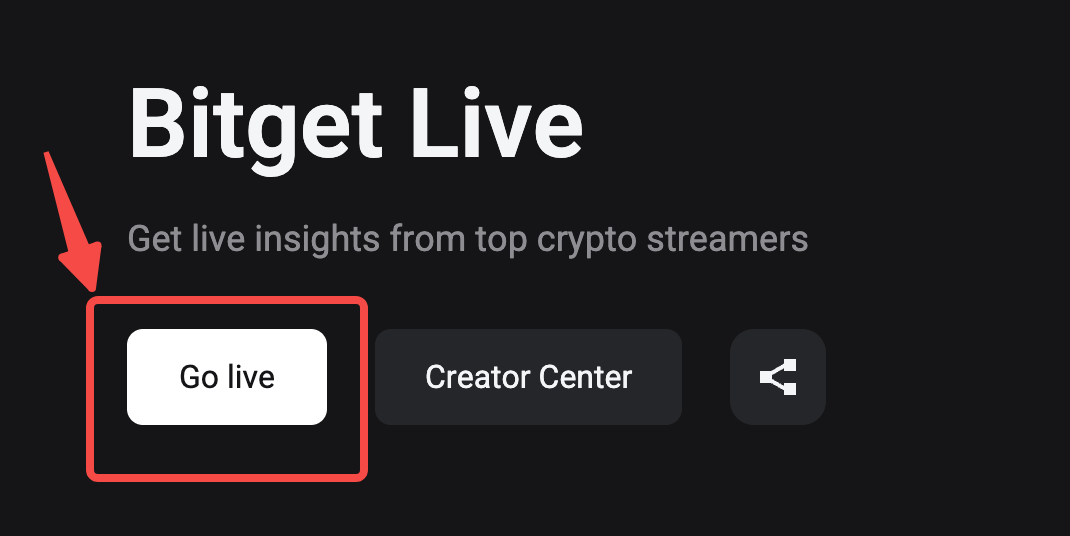
2. Go to Bitget Live homepage, and click the "Go Live" button.
This button is visible if your account has streaming access.
3. Configure your livestream settings.
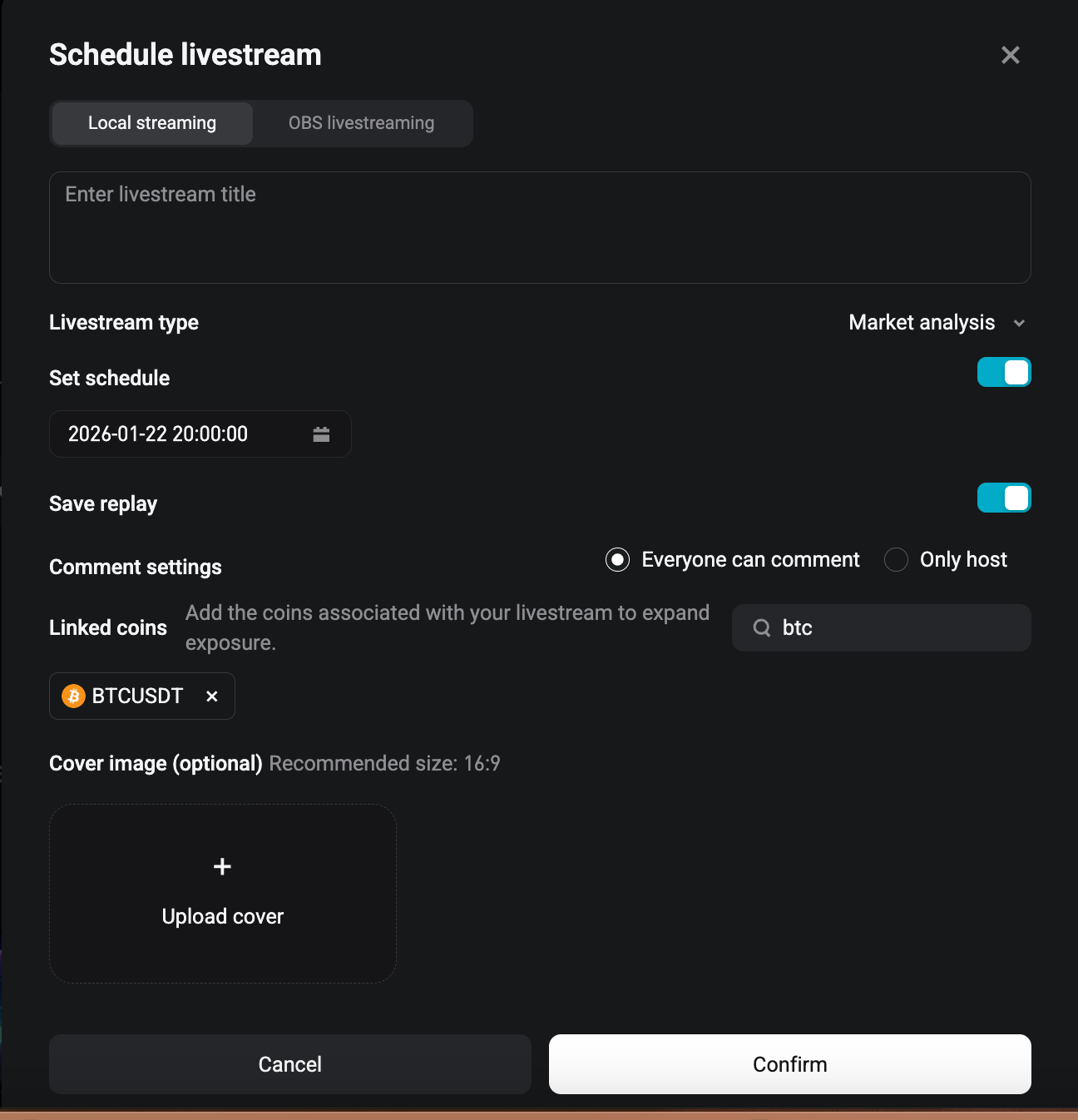
- Livestream mode: we recommend local streaming, which is smoother and easier to operate. (For OBS streaming, please read this tutorial >>>)
- Livestream title: enter a clear and engaging stream topic.
- Livestream type: select a type that suits you. There are four types in total.
- Set schedule (optional): Schedule a start time later.
- If the switch is turned off, you will start live immediately after clicking the "confirm" button.
- If you make a schedule, please start the livestream on your schedule page.
- Save replay: please keep it available so that Bitget team can review your streams.
- Linked coins: please search and link coins so that the audience can trade in your livestream room.
- Cover image: upload a cover image, which should include your stream topic, your name & portrait.
- Click "Confirm" after configuring the above settings.
4. Use in-stream features.
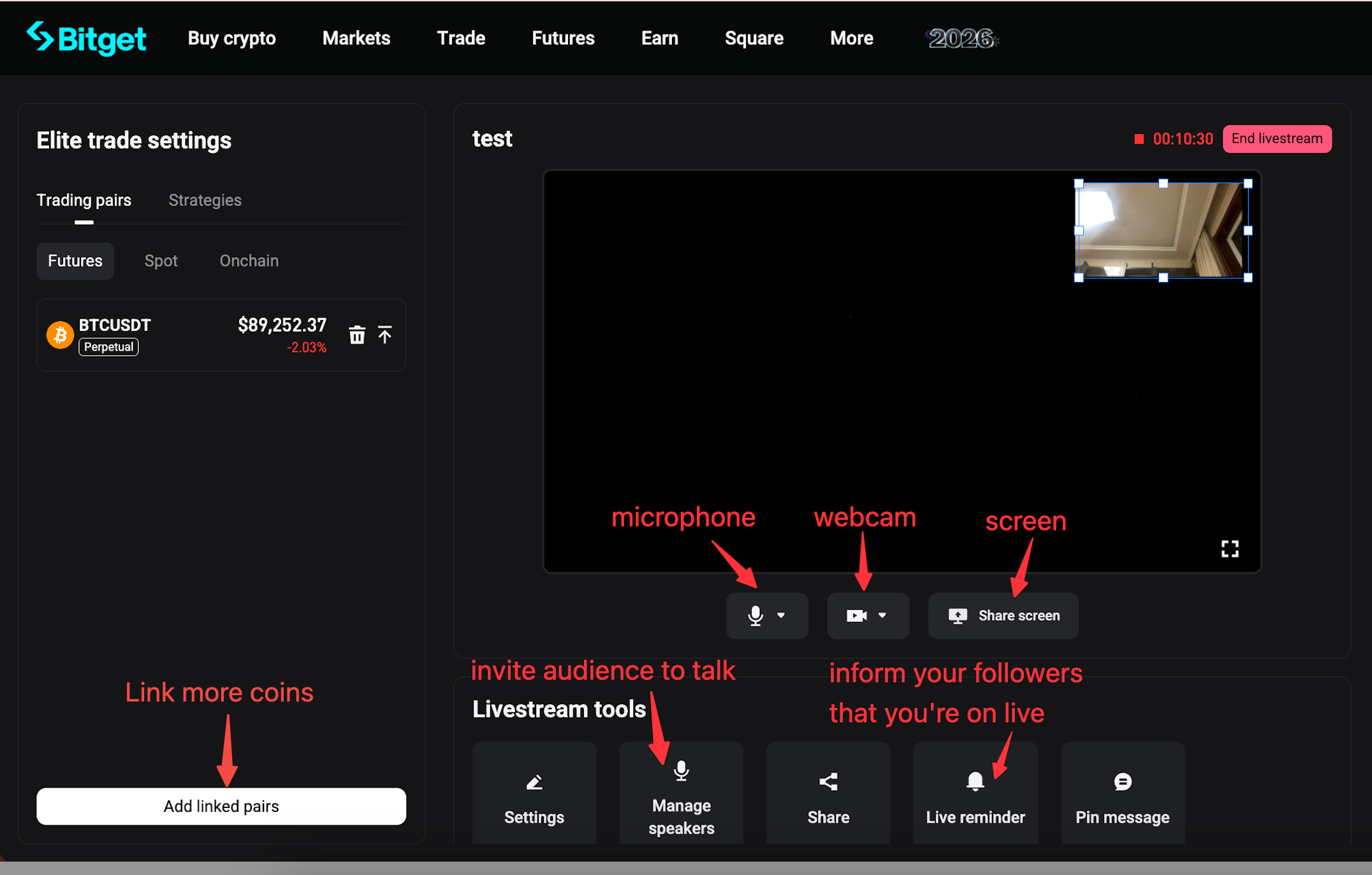
- Please enable your microphone, webcam (optional), and share your screen.
- You can adjust the camera frame by dragging it with your mouse.
- Livestream tools:
- Settings: you can modify your livestream settings during the livestream.
- Manage speakers: you will see the voice chat request from your audience, or invite your audience to join the mac.
- Live reminder: click this button then your followers will receive the reminder of your livestream.
- Pin message: pin any important comments in your livestream room.
- Add linked pairs: you can link more coins during your livestream.
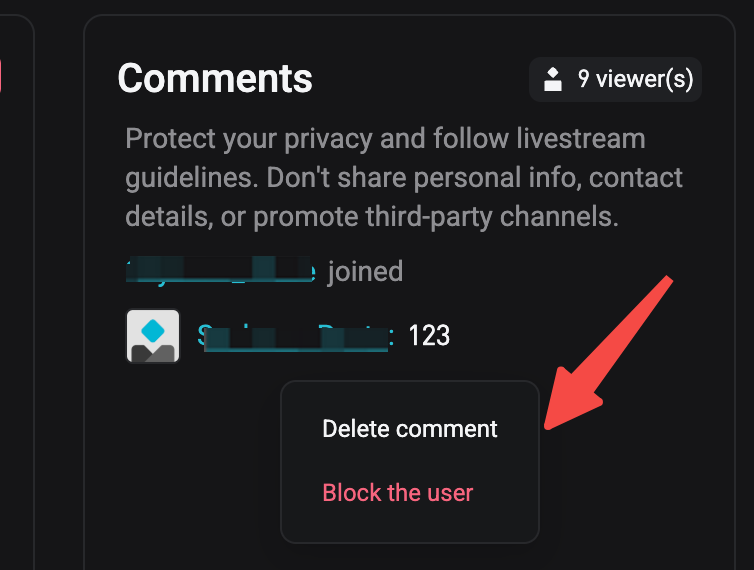
- Comments moderation: You can delete unfriendly comments or block users. Hover your mouse over a comment, you will see the "Delete the comment" and "Block the user" options.
5. End your livestream
Click the red "end livestream" button, and confirm you will end the livestream.
Join Bitget, the World's Leading Crypto Exchange and Web3 Company
Bagikan