Bagaimana cara mengaktifkan Kode Dana untuk P2P Bitget?
[Estimasi waktu membaca: 5 menit]
Kode dana adalah fitur keamanan yang memungkinkan kamu merilis order P2P Bitget dengan cepat menggunakan kode yang telah ditetapkan sebelumnya, tanpa memerlukan autentikasi dua faktor (2FA).
Fitur ini membantu menghindari keterlambatan yang disebabkan oleh masalah verifikasi SMS, seperti koneksi jaringan yang buruk atau pembatasan oleh operator lokal. Fitur ini juga menyederhanakan proses rilis order dan mengurangi risiko serangan phishing melalui SMS.
Cara mengaktifkan kode dana
Di situs web:
1. Masuk ke akun Bitget kamu dan buka Pengaturan Keamanan.
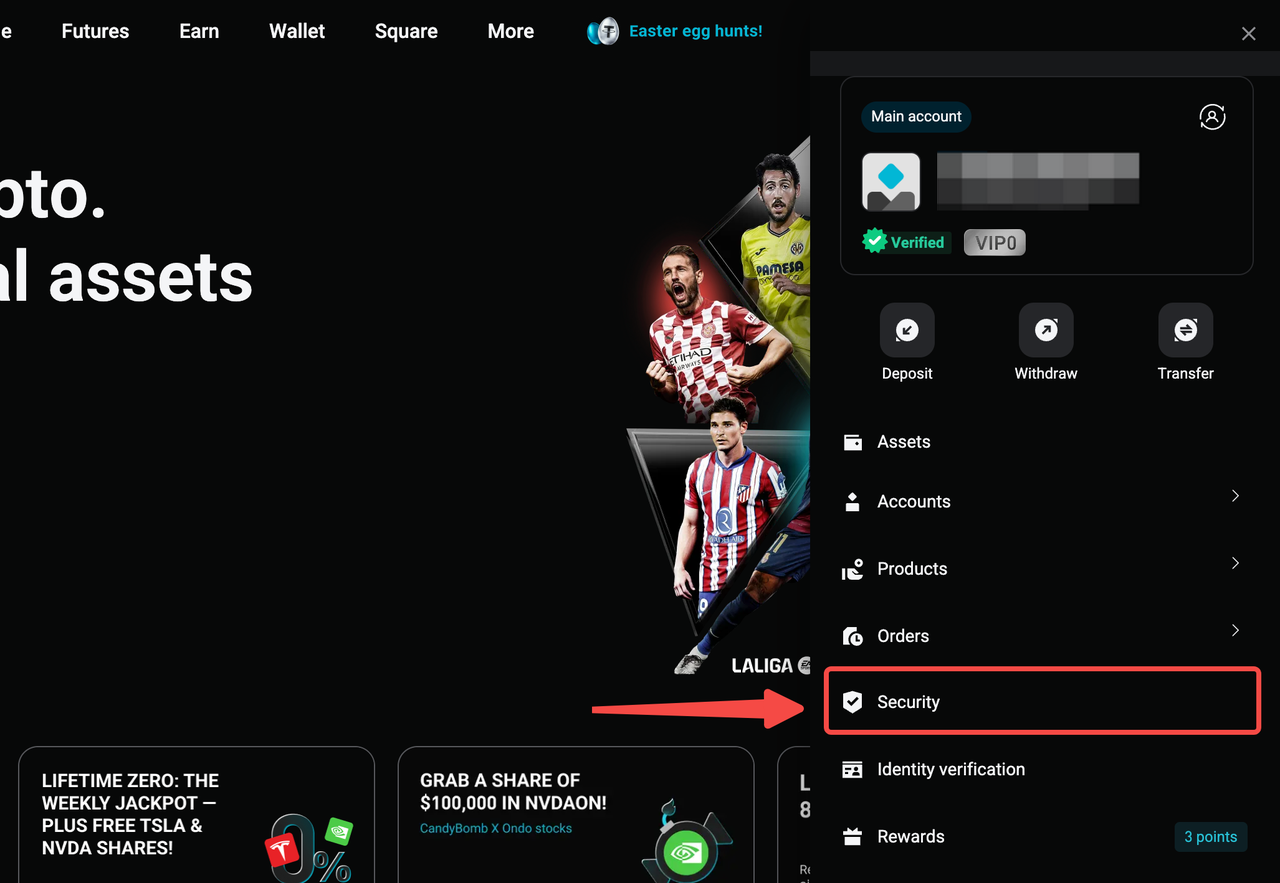
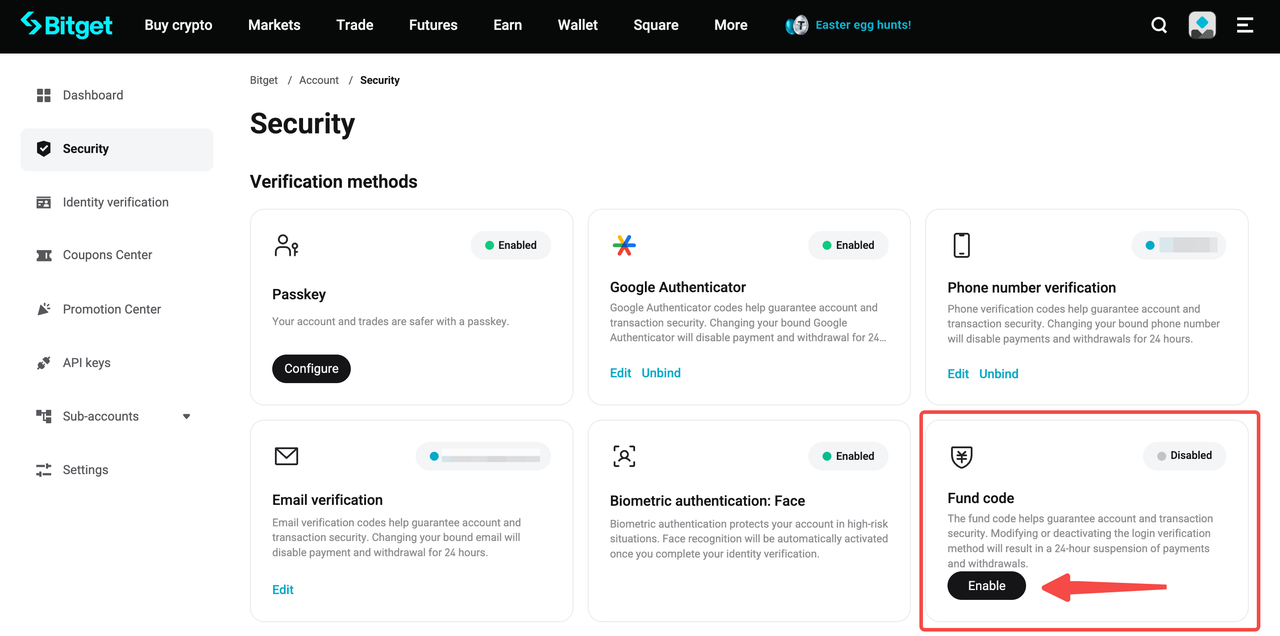
2. Cari Kode Dana, lalu klik Aktifkan.
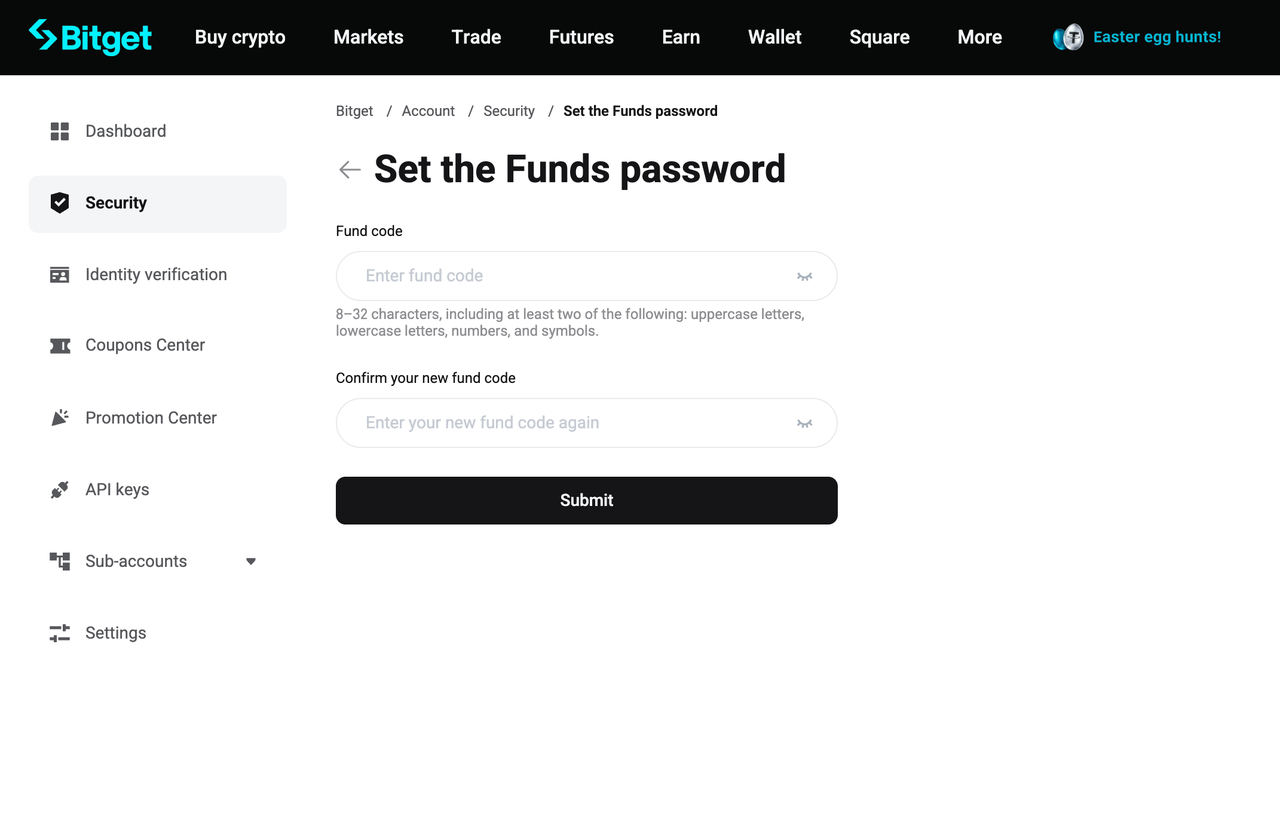
3. Masukkan kode dana pilihanmu, konfirmasikan, lalu klik Kirim.
4. Selesaikan verifikasi keamanan yang diperlukan untuk mengaktifkan kode dana kamu.
5. Setelah diaktifkan, kamu dapat mengonfirmasi transaksi P2P dengan memasukkan kode danamu.
Di aplikasi seluler:
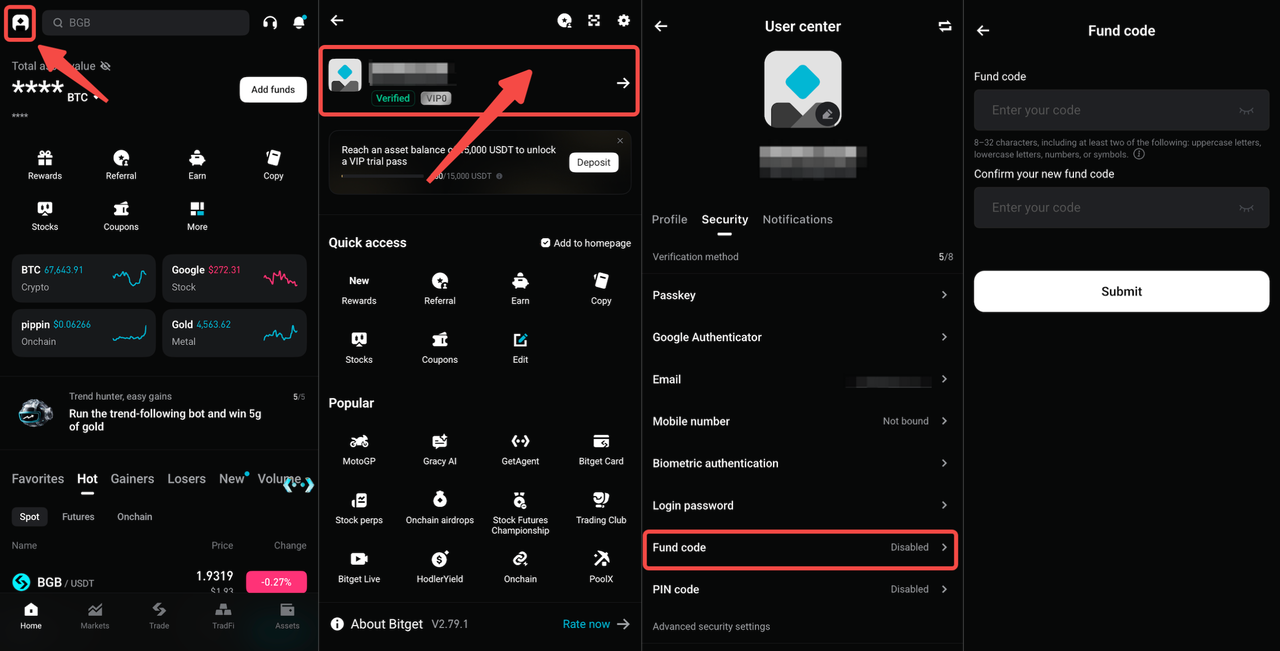
1. Ketuk ikon profil di pojok kiri atas lalu buka Profil kamu.
2. Di bagian Pengaturan Keamanan, ketuk Kode Dana.
3. Masukkan kode dana pilihanmu, konfirmasikan, lalu ketuk Kirim.
4. Selesaikan verifikasi keamanan yang diperlukan untuk mengaktifkan kode dana kamu.
5. Setelah diaktifkan, kamu dapat mengonfirmasi transaksi P2P dengan memasukkan kode danamu.
Catatan penting
• Kamu dapat memperbarui kode danamu kapan saja dengan memilih Edit.
• Jika kamu lupa kode danamu, pilih Lupa kode dana? untuk meresetnya.
• Setelah mereset kode danamu, penarikan dan perdagangan P2P akan dibatasi sementara selama 24 jam.
FAQ
1. Apa itu kode dana?
Kode dana adalah fitur keamanan yang memungkinkan kamu merilis order P2P Bitget dengan cepat menggunakan kode yang telah ditetapkan sebelumnya, tanpa memerlukan autentikasi dua faktor (2FA).
2. Mengapa saya harus mengaktifkan kode dana?
Mengaktifkan kode dana membantu mencegah keterlambatan yang disebabkan oleh masalah verifikasi SMS dan mengurangi risiko serangan phishing. Hal ini juga membuat konfirmasi transaksi P2P menjadi lebih cepat dan lebih praktis.
3. Apakah saya bisa mengubah kode dana saya setelah mengaturnya?
Ya. Kamu dapat memperbarui kode danamu kapan saja dengan memilih Edit di pengaturan kode dana.
4. Apakah kode dana diperlukan untuk semua transaksi P2P?
Kode dana hanya diperlukan saat mengonfirmasi transaksi P2P jika kamu telah mengaktifkannya di akunmu. Setelah diaktifkan, kamu perlu memasukkan kode danamu untuk menyelesaikan order P2P.
5. Apa yang harus saya lakukan jika saya lupa kode dana saya?
Kamu dapat mereset kode danamu dengan memilih Lupa kode dana? Harap diperhatikan bahwa setelah mereset kode dana, penarikan dan perdagangan P2P akan dibatasi sementara selama 24 jam.
Bergabunglah dengan Bitget, Exchange Universal (UEX) terbesar di dunia
Bagikan