Ang kasalukuyang artikulo ay hindi sumusuporta sa wikang iyong pinili, ito ay awtomatikong inirerekomenda sa Ingles para sa iyo
How to Perform Fiat Conversion on Bitget? - Mobile App Guide
[Estimated Reading Time: 3 minutes]
This article provides a step-by-step guide on how to use the Fiat Conversion function on the Bitget mobile app to easily convert cash to digital currency or vice versa.
What is the Fiat Conversion Feature?
The Fiat Conversion function on Bitget allows you to seamlessly convert fiat currency (cash) into digital assets or convert digital assets back into fiat currency. This tool is perfect for users who want fast, secure, and efficient transactions with minimal fees.
How to Perform Fiat Conversion on the Bitget Mobile App?
Step 1: Go to the Add funds page
1. Open the Bitget mobile app.
2. On the homepage, tap Add funds.
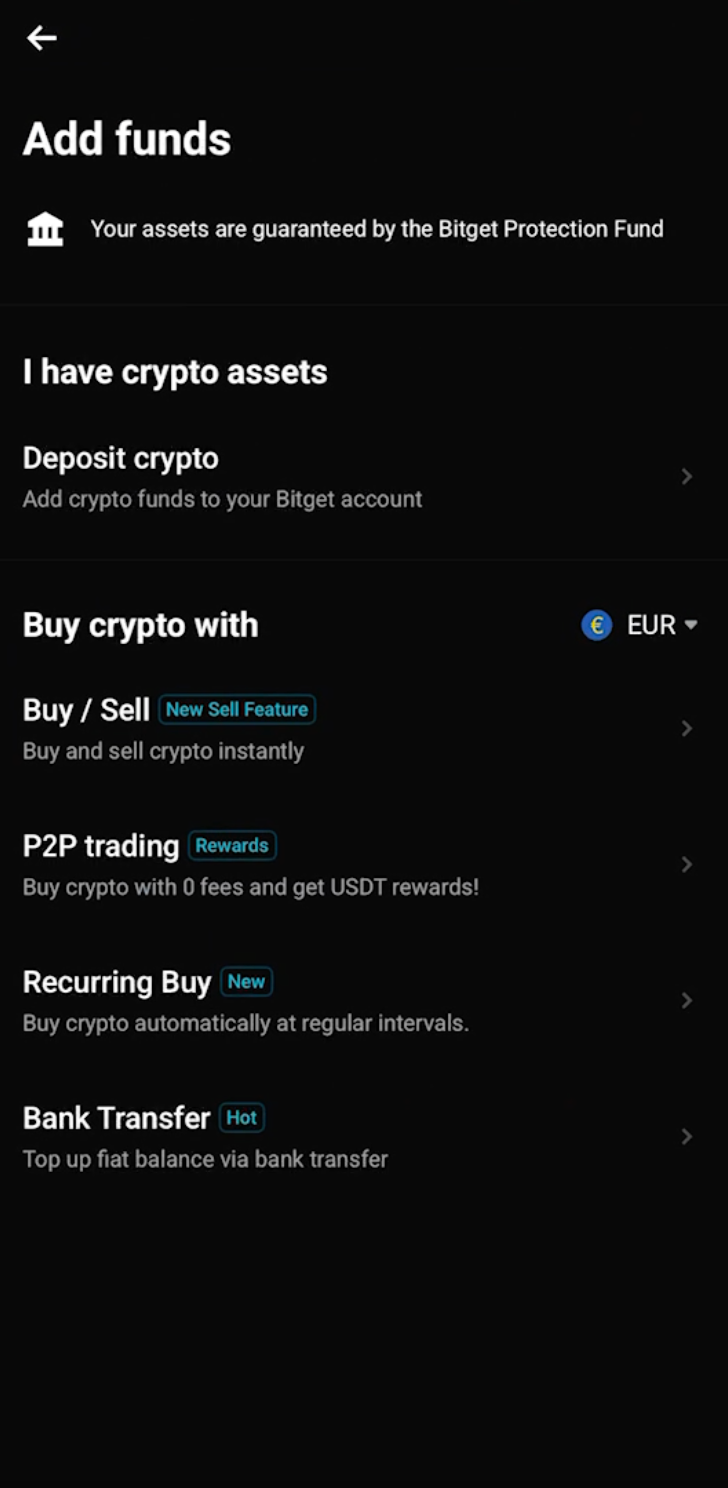
3. On the Add funds page, choose one of the available funding options.
4. Under Buy crypto with [fiat currency], tap Buy / Sell.
Step 2: Enter your conversion details
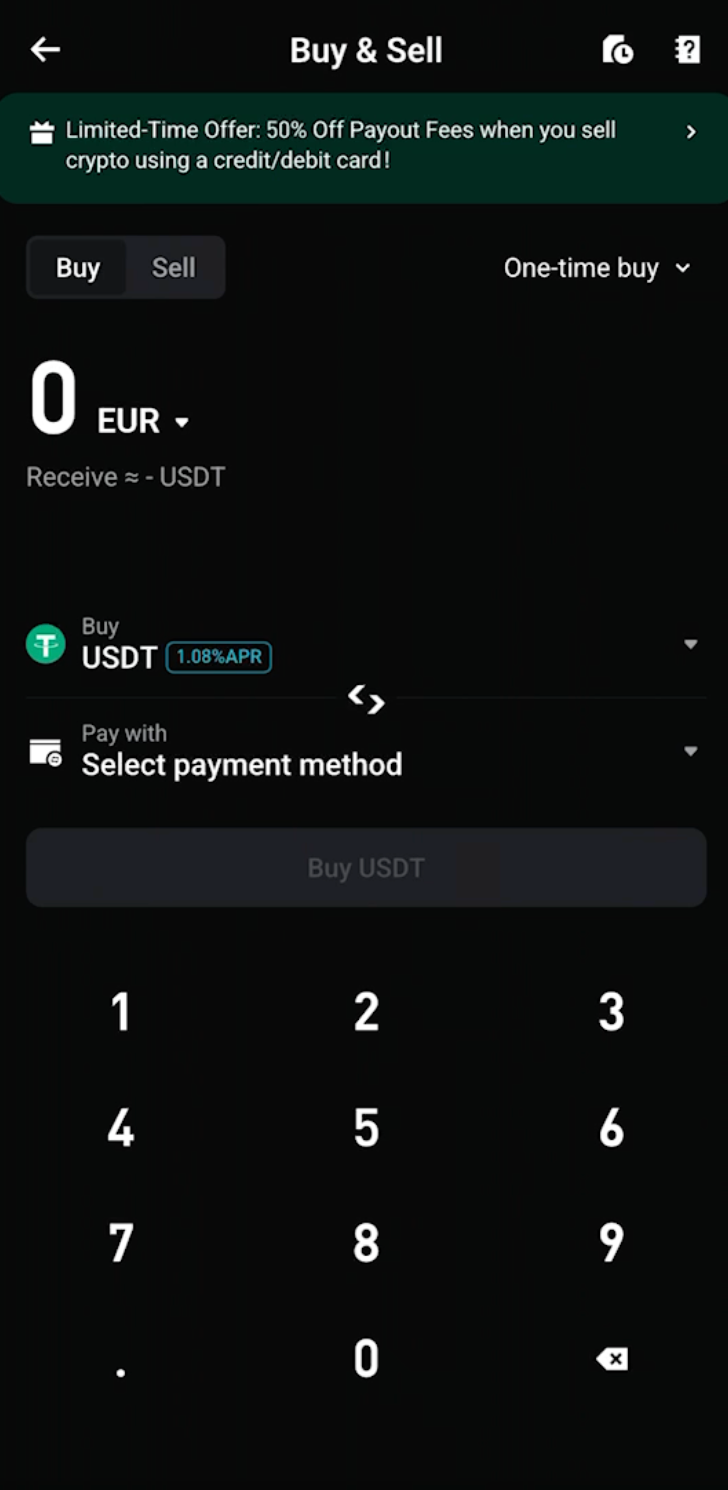
1. On the Buy & Sell page, select Buy or Sell.
2. Choose the fiat currency you want to use, such as EUR.
3. Enter the fiat amount you want to convert.
4. Select the crypto you want to receive, such as USDT.
5. Under Pay with, select your payment method or fiat balance.
6. Tap Buy [crypto] to continue.
Step 3: Review and confirm your order
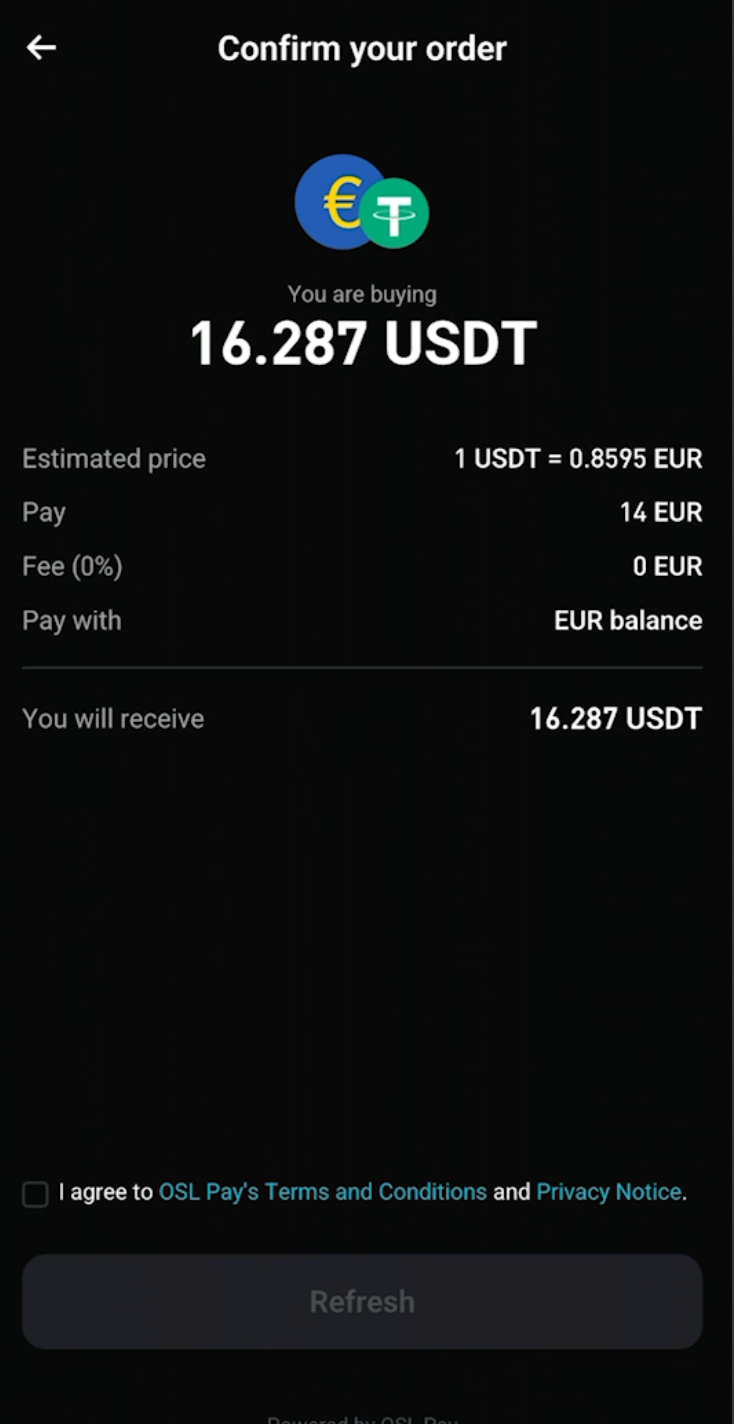
1. On the Confirm your order page, carefully review the order details:
-
Estimated price: The current conversion rate.
-
Pay: The fiat amount you will spend.
-
Fee: The transaction fee, if any.
-
Pay with: The selected payment method or fiat balance.
-
You will receive: The final crypto amount you will get.
2. Check the box to agree to the provider’s Terms and Conditions and Privacy Notice.
3. Tap Confirm to submit your order.
Step 4: Wait for your order to process
1. After confirmation, the app will show a Processing page.
2. You can view the order details, including:
-
Order ID
-
Order time
-
Amount paid
-
Amount to receive
-
Exchange rate
Step 5: Check the conversion result
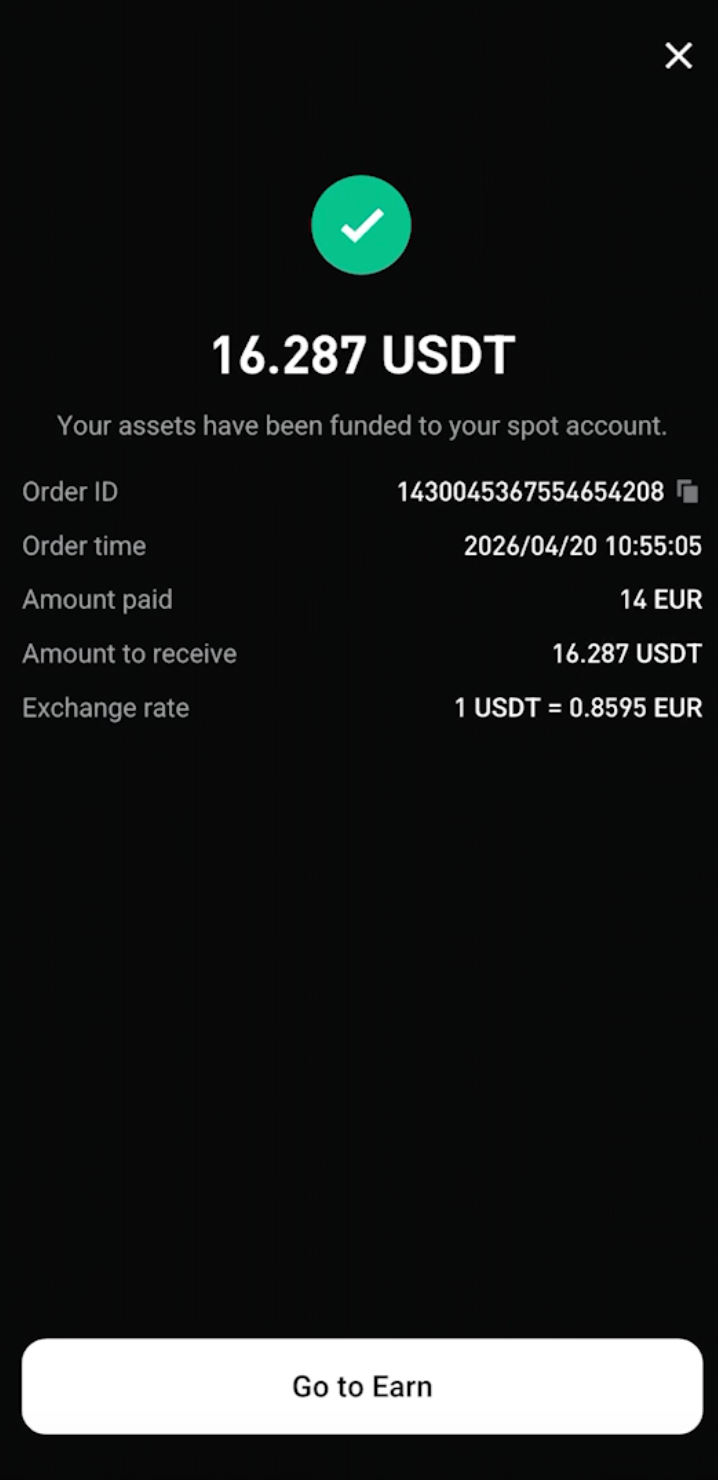
1. Once the order is completed, you will see a success page.
2. The converted crypto will be funded to your spot account.
3. You can copy the Order ID for your records.
4. Tap Go to Earn or close the page to return to the app.
FAQs
1. What fiat currencies are supported for fiat conversion?
Supported fiat currencies may vary by region and provider. You can view the available fiat currencies on the Buy & Sell page.
2. Can I sell crypto through fiat conversion?
Yes. On the Buy & Sell page, switch from Buy to Sell to check available sell options.
3. Is the conversion rate fixed?
The rate is shown in real time. It may refresh if you do not confirm the order within the valid time window.
4. Where will my crypto be sent after conversion?
After a successful buy order, the crypto will be funded to your Bitget spot account.
Join Bitget, the World's Leading Crypto Exchange and Web3 Company
Ibahagi