
How to Upgrade Referrals to Sub-Affiliates?
Ang kasalukuyang artikulo ay hindi sumusuporta sa wikang iyong pinili, ito ay awtomatikong inirerekomenda sa Ingles para sa iyo
How to Upgrade Referrals to Sub-Affiliates?
[Estimated reading time: 5 mins]
This article explains how to upgrade your invited users to sub-affiliates on the Bitget app and website, and how to manage their details after the upgrade.
How to upgrade referrals to sub-affiliates
Mobile app guide:
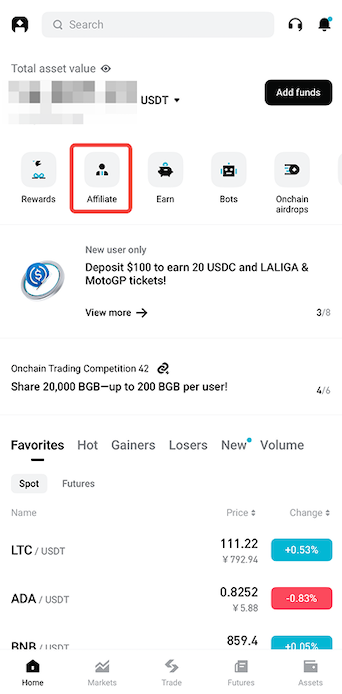
Step 1: Access the Affiliate Portal
1. Tap the Affiliate icon on the homepage.
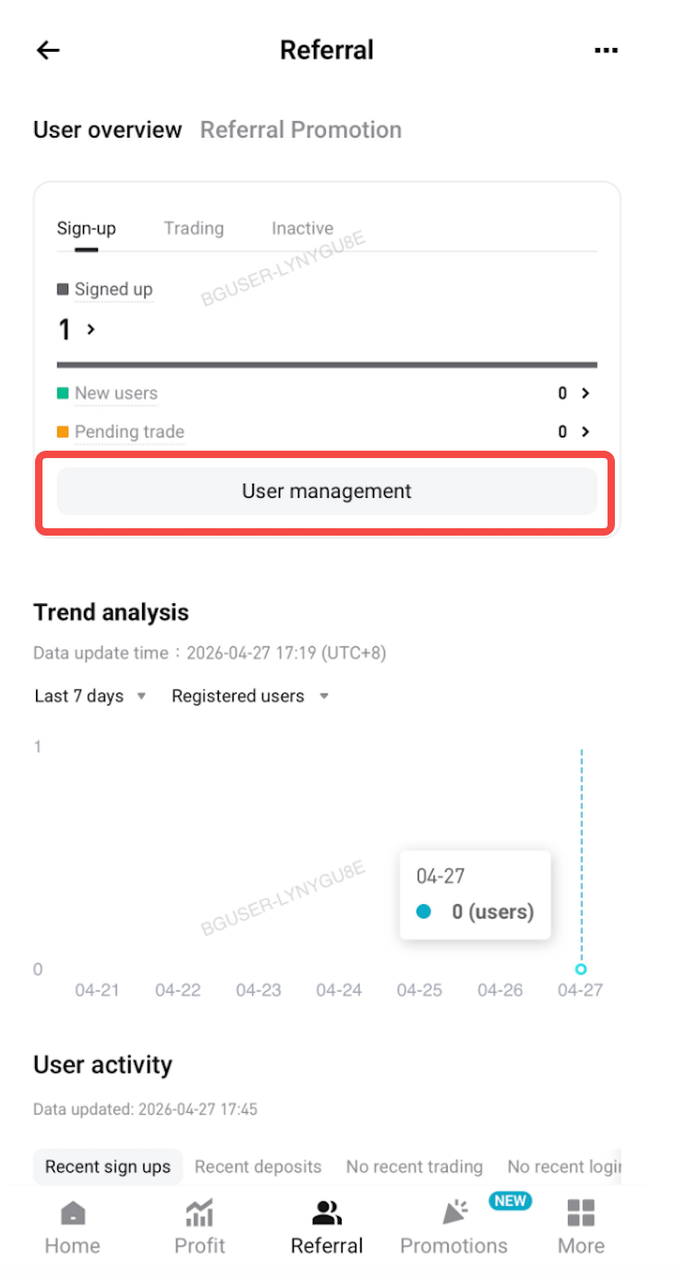
Step 2: Upgrade a referral to a sub-affiliate
1. Go to Referral > User Management.
2. Search for the user ID you want to promote.
3. Tap Upgrade.
Step 3: Set sub-affiliate details
1. Set an alias for the sub-affiliate and configure their spot, futures, and Onchain rebate rates.
2. Referrals upgraded to sub-affiliates will appear in the sub-affiliates section, where you can view their information and edit their aliases.
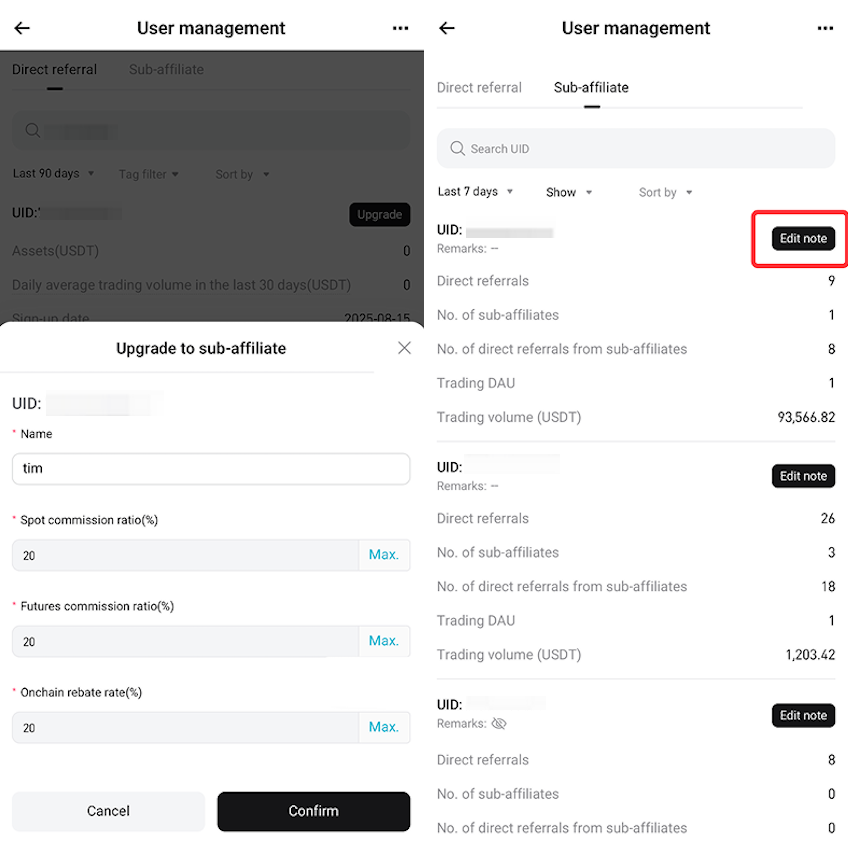
Note: To modify their rebate rates, go to Referral Center > Sub-affiliates on the website.
Website guide:
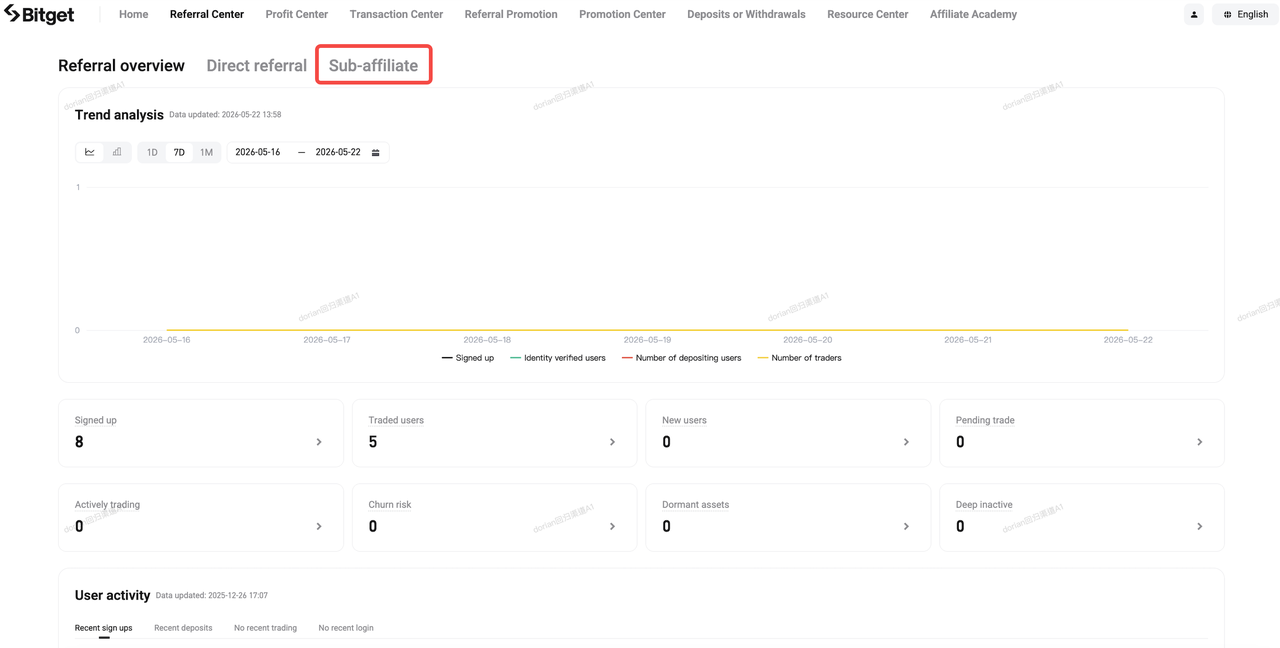
Step 1: Access the Referral Center
1. Log in to the Affiliate Portal.
2. Go to Referral Center.
3. Select Sub-affiliate.
Step 2: Upgrade a referral to a sub-affiliate
1. Search for the user ID you want to promote.
2. Select Upgrade to Affiliate.
Step 3: Configure sub-affiliate settings
Set an alias for the sub-affiliate and configure their spot, futures, and Onchain rebate rates.
Step 4: Manage sub-affiliates
Upgraded users will appear in the Sub-affiliates section, where you can:
• Edit notes
• Edit rebate rates
FAQs
1. What can I do after upgrading a referral to a sub-affiliate?
You can manage them in the sub-affiliates section, including viewing their details, editing notes, and adjusting rebate rates.
2. What details can I set when upgrading a referral to a sub-affiliate?
You can set an alias for the sub-affiliate and configure their spot, futures, and Onchain rebate rates.
3. Where can I manage my sub-affiliates?
All upgraded users are listed in the sub-affiliates section, where you can manage their information.
4. Can I edit sub-affiliate details after upgrading?
Yes. You can update their alias, notes, and rebate rates at any time.
5. Can I adjust rebate rates for sub-affiliates?
Yes, you can configure and adjust their spot, futures, and Onchain rebate rates.
*Ang anunsyong ito ay sensitibo sa oras. Pansinin ang petsa ng paglalathala. Hindi mananagot ang platform para sa anumang direkta o di-tuwirang pagkalugi na nagmumula sa pagbabago ng mga kalagayan o lipas na nilalaman.