
Floating window tutorial for Android devices
Ang kasalukuyang artikulo ay hindi sumusuporta sa wikang iyong pinili, ito ay awtomatikong inirerekomenda sa Ingles para sa iyo
Floating window tutorial for Android devices
2024-01-24 07:01
42448458Ibahagi
1.
Introduction
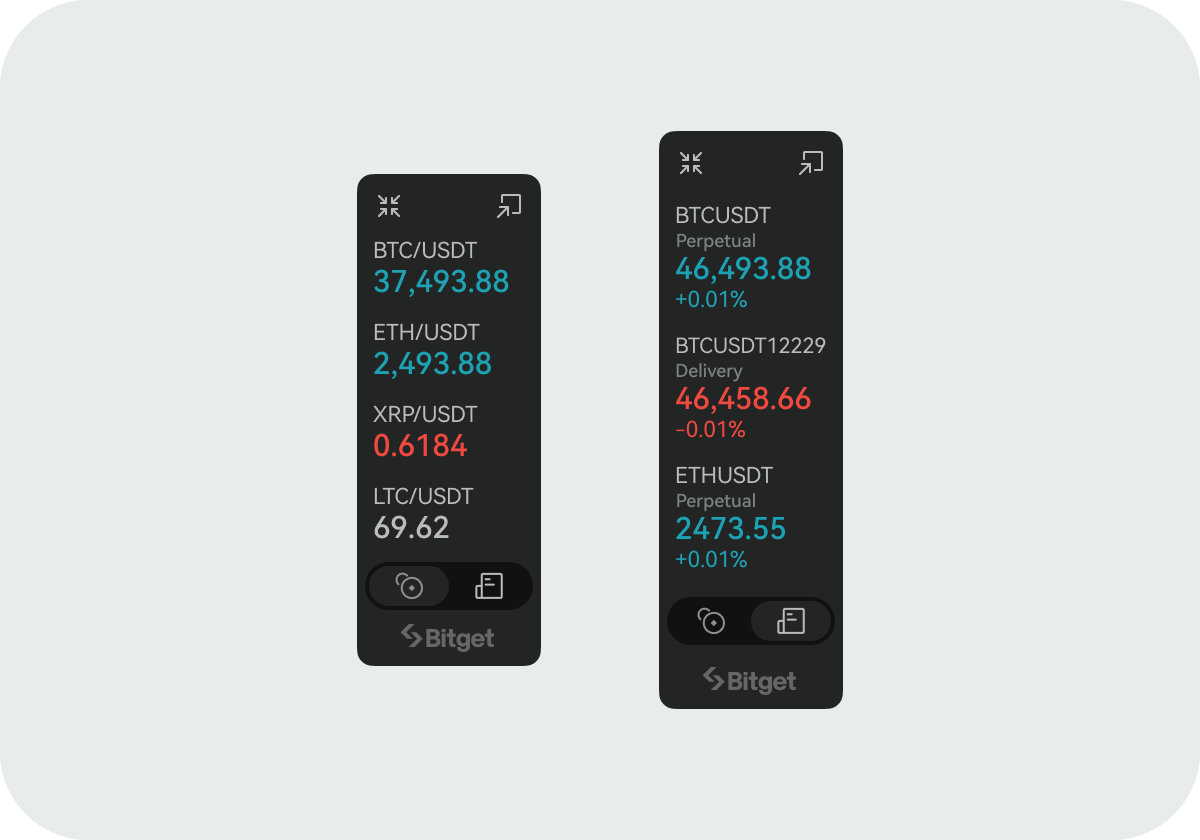
The widget float window is a feature that presents a small but useful and up-to-date piece of information in the most prominent position of the screen, helping users quickly understand the real-time changes of the currencies they are interested in.
2.
How to add the float window
Step 1: Launch the Bitget app on your Android device, then locate the
Widget button in the upper right corner of the
Market tab. (Ensure that your app version is 2.25.0 or above.)
Step 2: After entering the
Widget page, tap
Float Window.
Step 3: Turn on the
Float Window
Display switch.
Step 4: Configure the float window settings according to your preferences.
Join Bitget, the World's Leading
Crypto Exchange and Web 3 Company
*Ang anunsyong ito ay sensitibo sa oras. Pansinin ang petsa ng paglalathala. Hindi mananagot ang platform para sa anumang direkta o di-tuwirang pagkalugi na nagmumula sa pagbabago ng mga kalagayan o lipas na nilalaman.
Mga kaugnay na artikulo
📢 Upgrade sa Bitget Support Chatbot📢 Paalala sa Muling Pagpapatunay ng KYCHow to Submit an Inheritance Application on Bitget?Satoshi Is Found — in GetAgent. Ask Satoshi Anything to Share $10,000 BTC AirdropLimitadong Oras na Pag-upgrade sa GetAgent Plus — Available sa Lahat ng User🎉 Bitget 7th anniversary celebration · Mga eksklusibong benepisyo 🎂Live na ngayon ang Bitget Telegram Guardian Bot!FAQs tungkol sa pagsasanib ng Bitget Wallet Token (BWB) at Bitget Token (BGB)
Nakakatulong ba ito?